Starter
$129 per shop / month
- 250 GB storage per shop
- 5 users per shop, shared across the account
- Unlimited phones
- Extra storage $0.10 per GB a month

Media Management for Collision Repairers
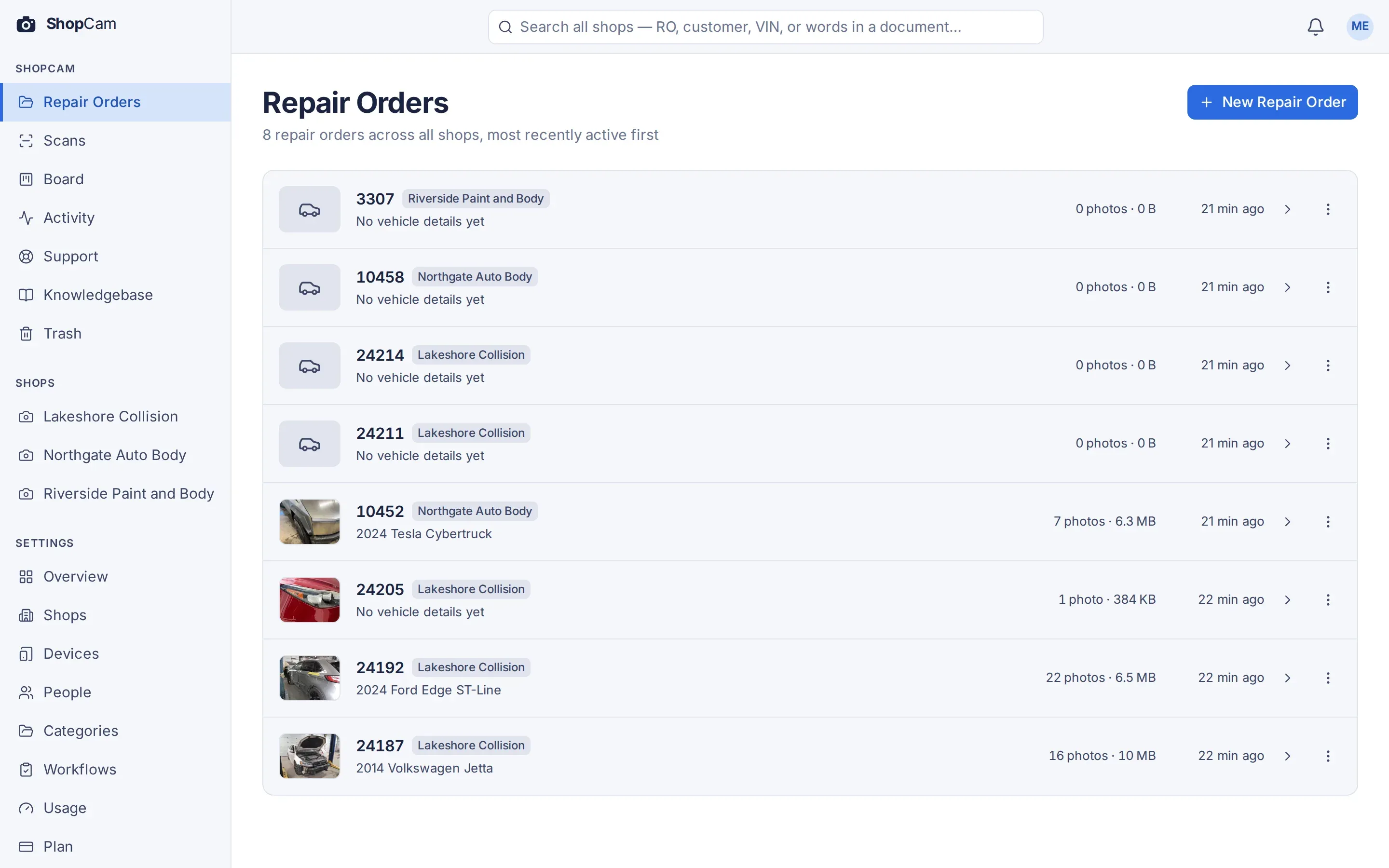
ShopCam keeps your shop’s photos, videos, and documents organized by repair order, so your team can spend less time searching and more time moving repairs forward.
From intake photos and damage videos to scanned paperwork and final quality checks, keep the complete record of each repair together and easy to find.
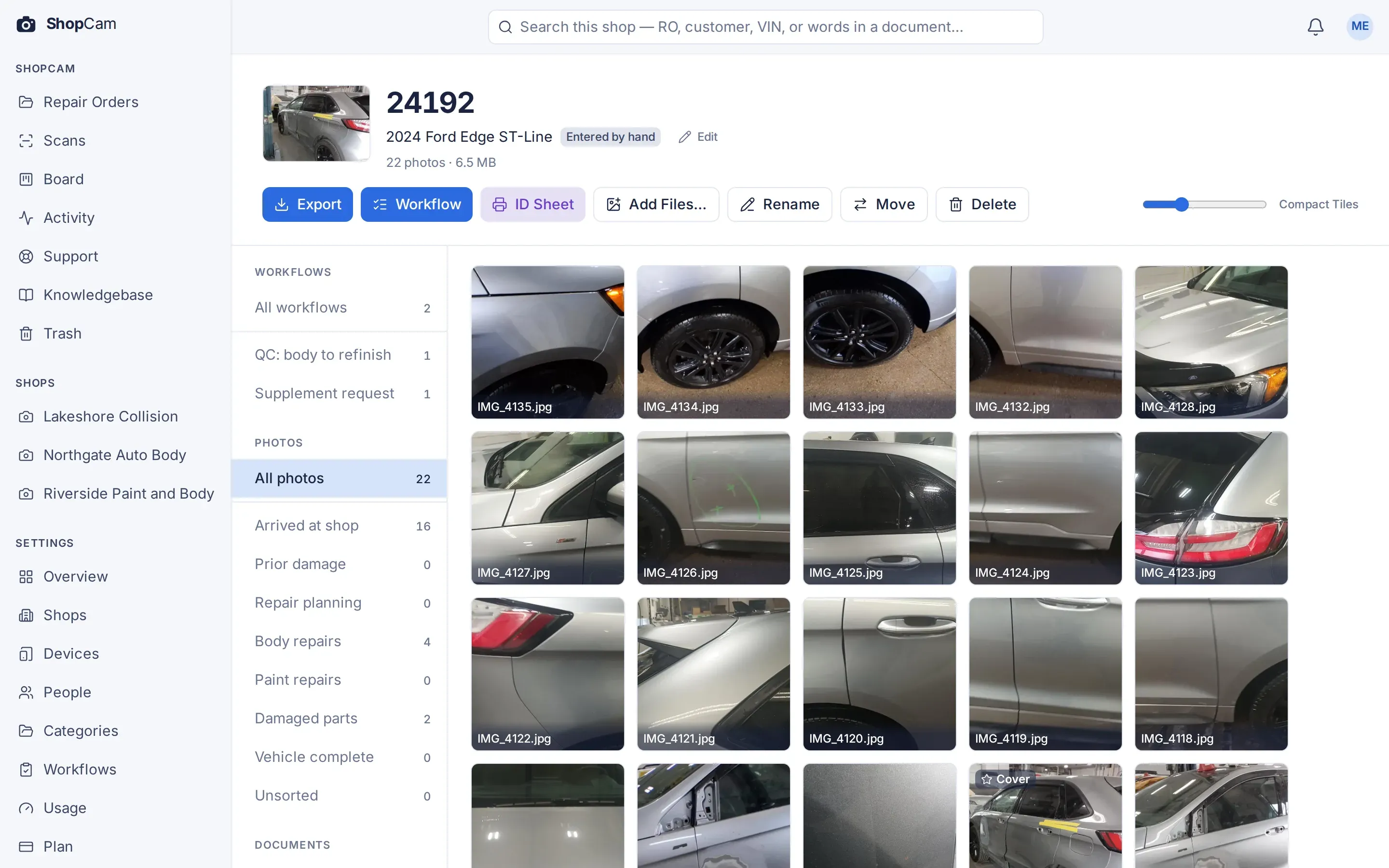
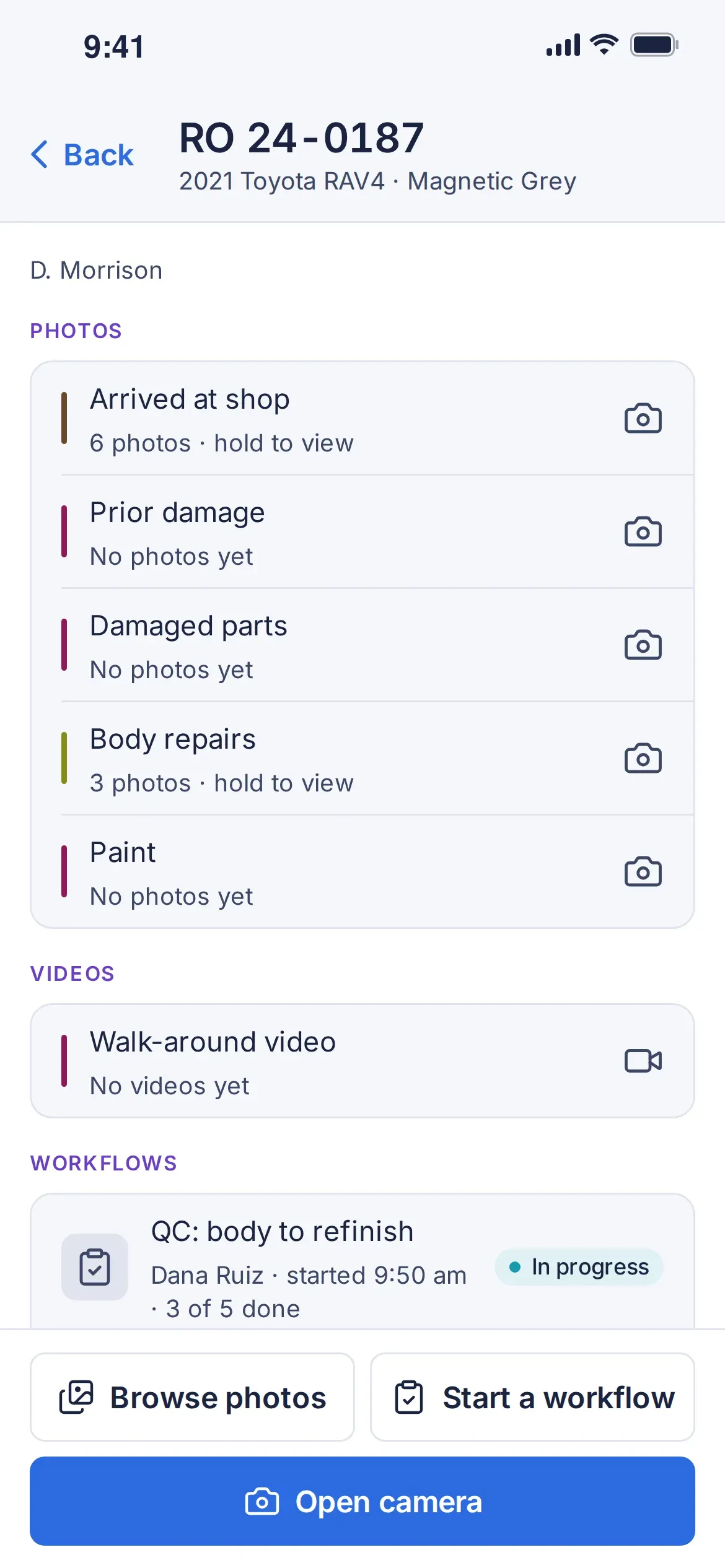
Build workflows for supplements, quality control, repair authorizations, and anything else your shop needs.
Work in your browser with nothing to install, or use the mobile app on iOS and Android.
AI reads your photos and documents and automatically labels them to keep files organized and easy to find.
Send paperwork straight to ShopCam from a document scanner or by email.
Features
Photos land on the right repair order, AI fills in the details, supplements reach your estimator fast, and checklists keep quality on track, so nothing gets lost between the bay and the office.
Photos & Video
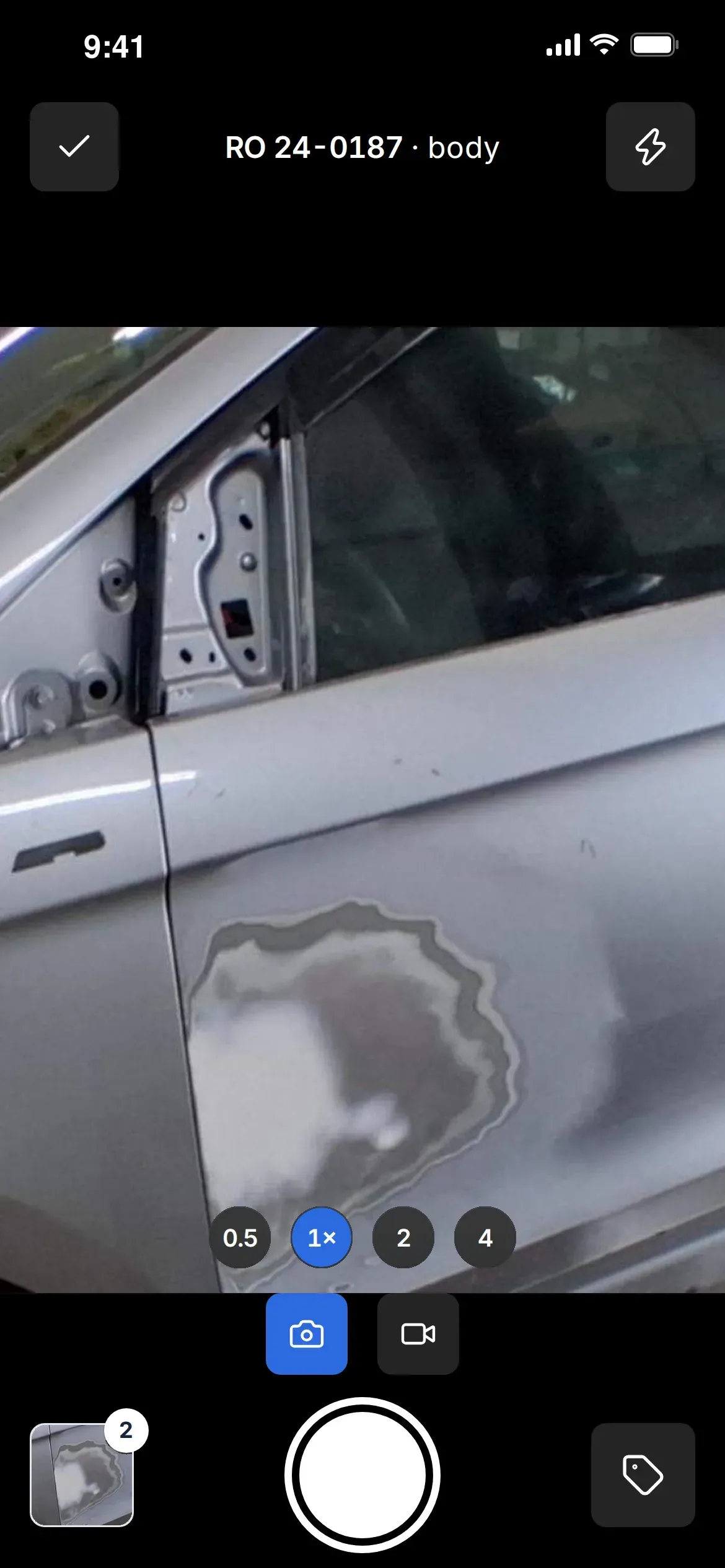
Scan the RO barcode or type the number, pick a category, and shoot. ShopCam files each photo to the repair order on the spot, so there is nothing to rename, sort or copy off a phone later.
If the Wi-Fi drops, photos wait safely on the phone and send themselves as soon as it is back.
Automatic AI Details
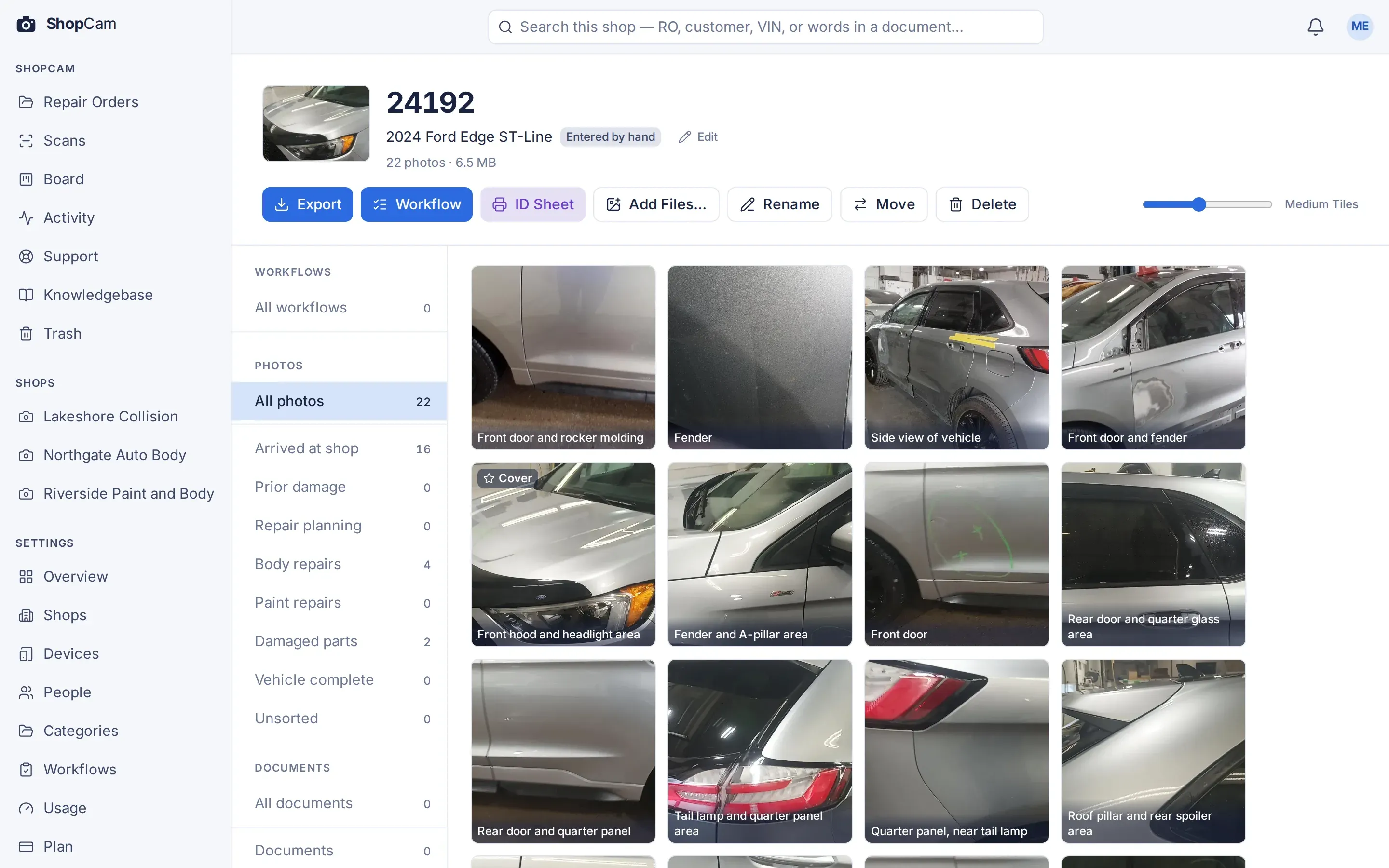
Snap the door-jamb label and ShopCam reads the VIN and fills in the year, make and model. Photos are labelled with the part they show, and the best shot becomes the repair order's cover photo.
Need something later? Search by RO number, VIN, or the words in your documents and photo labels.
Supplement Requests
When a tech finds hidden damage mid-repair, they start a Supplement request on their phone: describe what they found, add photos, and list the parts and labour it needs. As soon as they submit it, your estimators get an alert and a card on the task board.
The estimator opens the card, approves or declines, records the parts and labour approved, and signs off. The whole request stays with the repair order, ready to save as a PDF report.
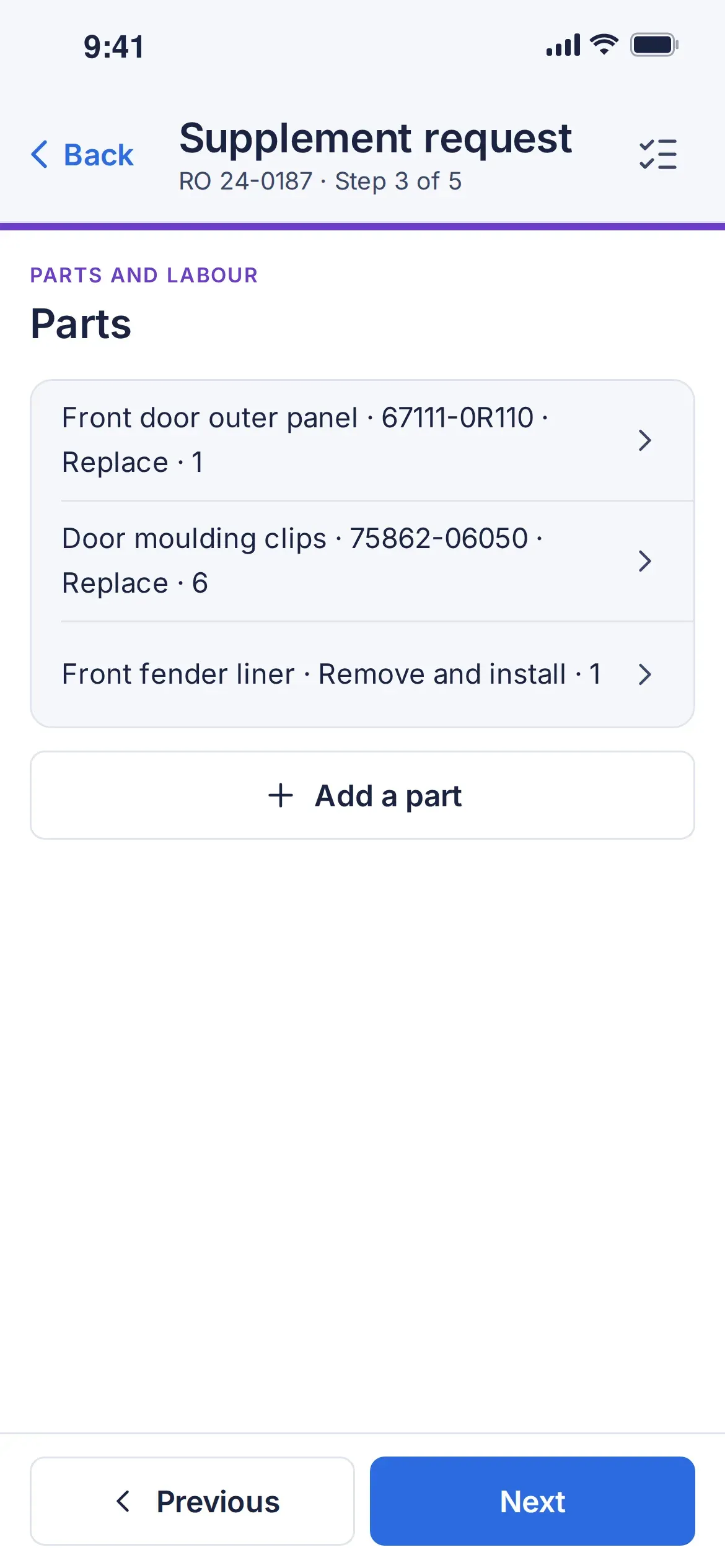
The tech requests it
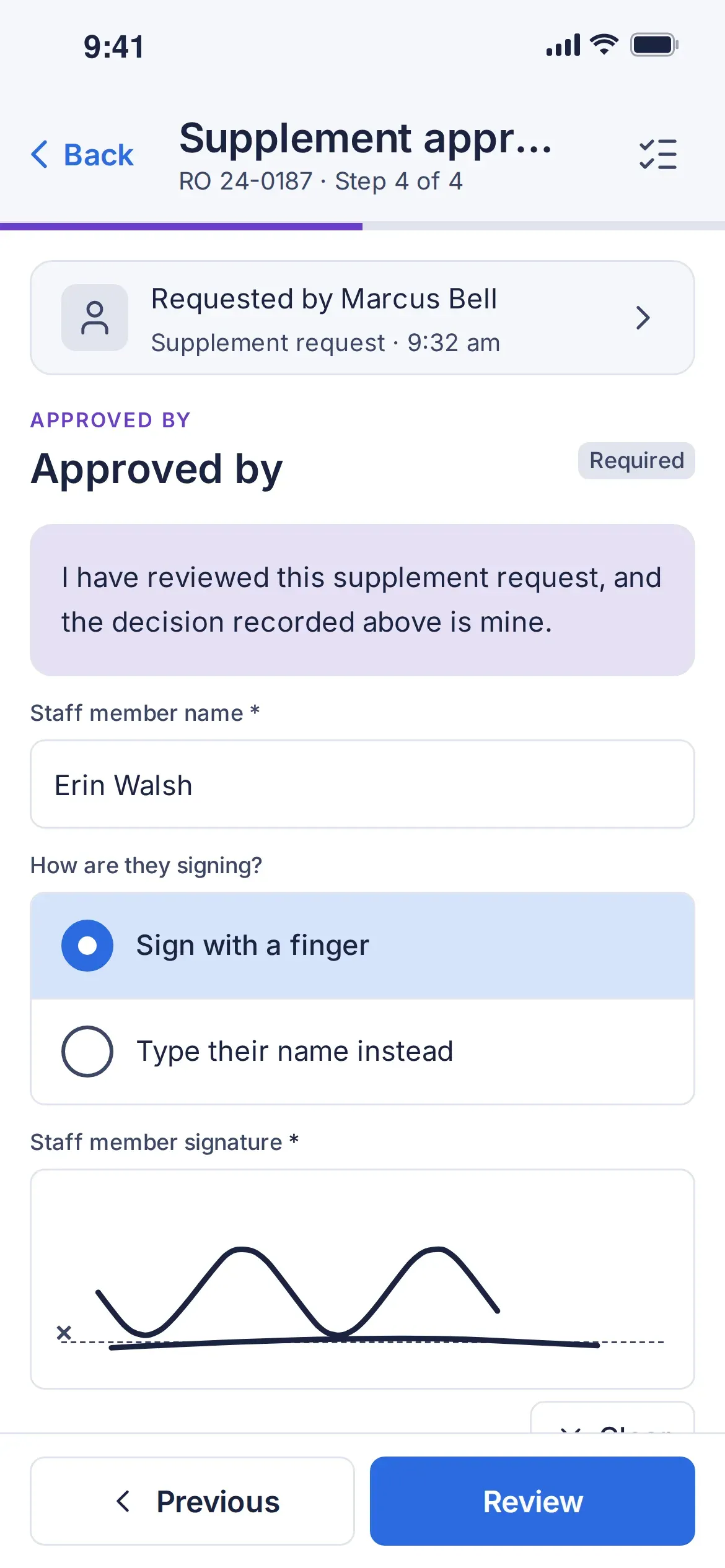
The estimator signs off
Workflows & QC
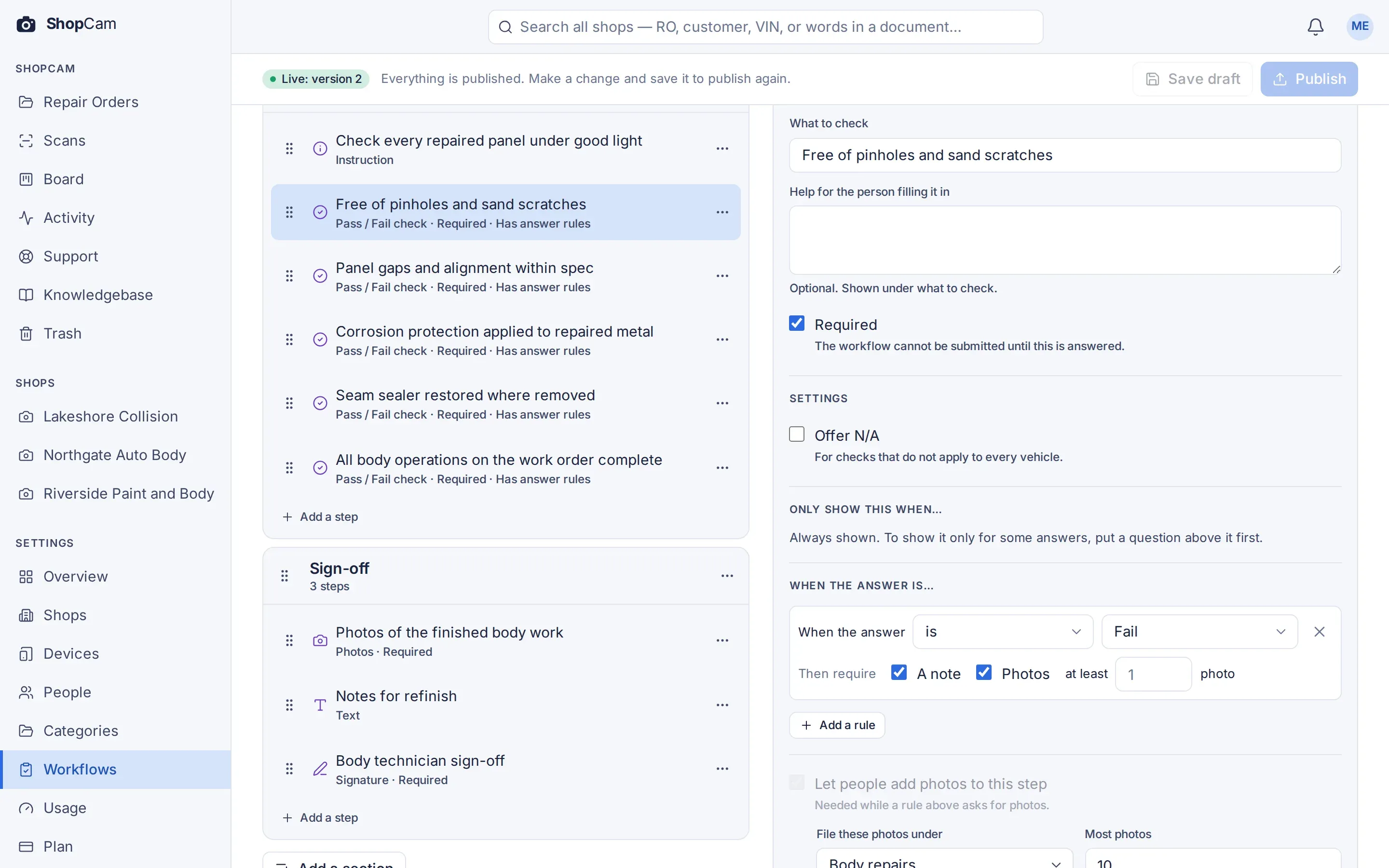
Build checklists for vehicle check-in, quality control, supplements and anything else your shop does. Your team works through them on the phone or in the browser, and every photo, answer and signature is saved with the repair order.
Start from one of six ready-made templates, or build your own from scratch.
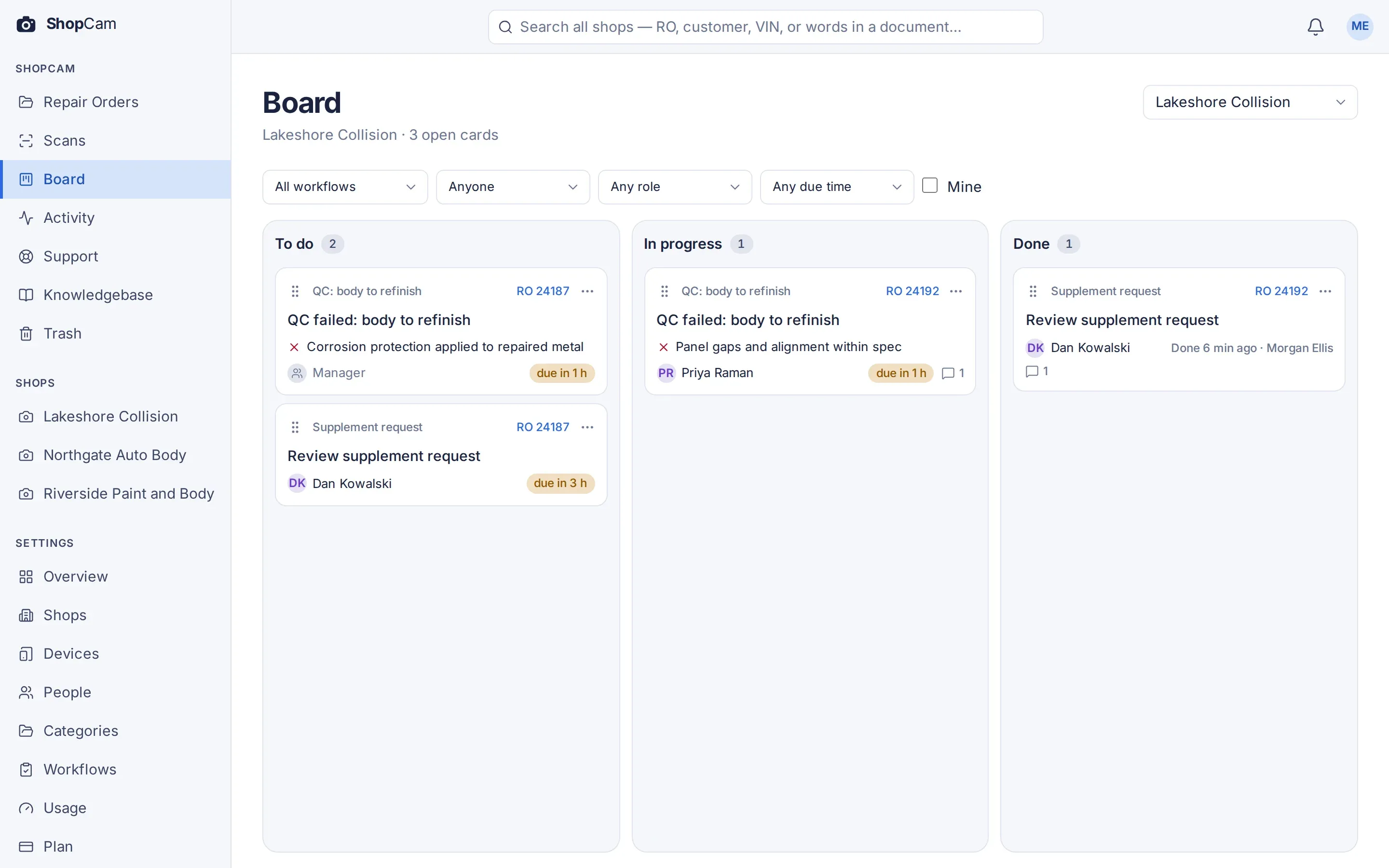
Task Board
A failed QC check or a supplement request puts a card on your shop's task board, assigned to the right role with a due time. The card stays linked to the repair order, and your team moves it along from the web or the phone.
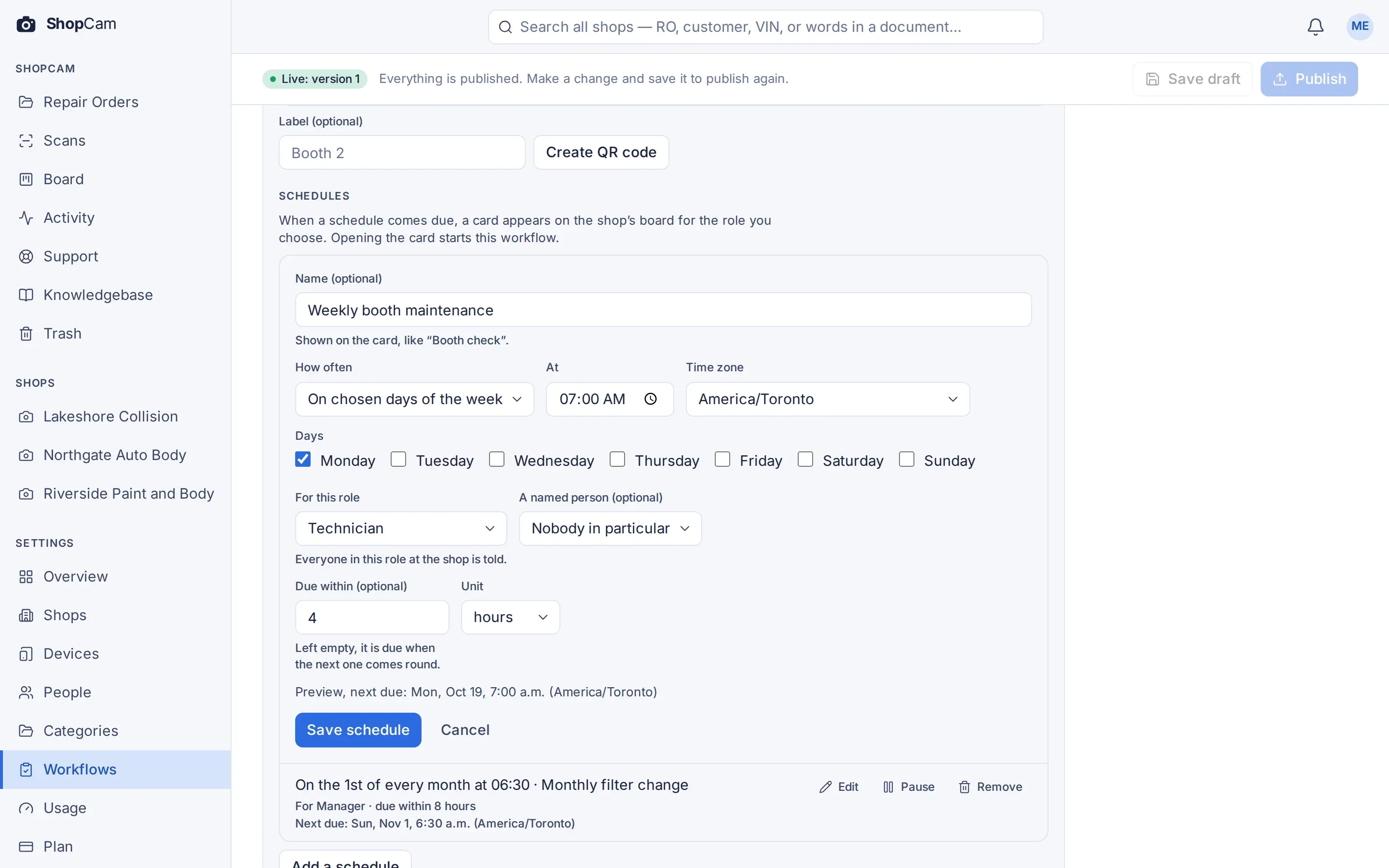
Scheduled Checks
Schedule booth maintenance, equipment checks and other routine jobs daily, on chosen weekdays or monthly. When one is due, a card appears on the task board for the right role.
If a card is still open past its due time, ShopCam sends a reminder.
Alerts arrive in the app, by email or as a push notification on the phone.
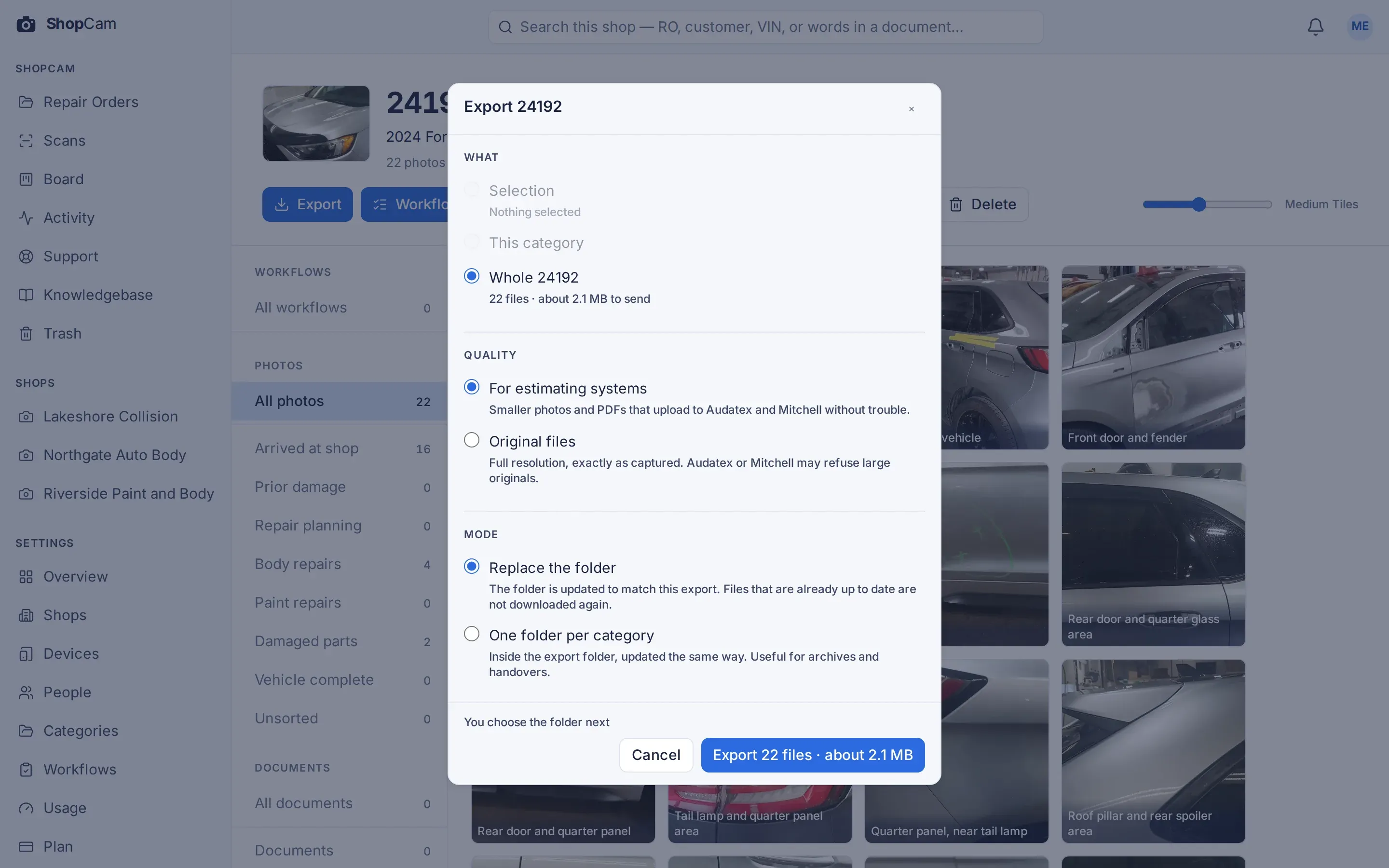
Easy Exports
Export photos sized for estimating uploads, and PDFs made smaller with their text intact. The full-size originals stay with the repair order whenever you need them.
For MSOs (multi-shop operators)
Share categories, checklists and Knowledgebase sections across your shops, let each location make its own changes, and see every shop from one account.
Your Records
Your photos and data are stored in Canada. They are kept for seven years by default, and your administrator can choose anywhere from 1 to 15 years, or keep them forever.
You can export any repair order at original size whenever you need to.
Pricing
Every plan includes everything ShopCam does, so you only choose how much room your shops need. Storage and users are shared across all your shops.
$129 per shop / month
Unlimited users
$199 per shop / month
$349 per shop / month
Prices are per shop, per month, in Canadian dollars before tax. Billed monthly, cancel any time.
Starter includes up to 5 users per shop, while Standard and Unlimited include unlimited users.
For several shops, each location adds capacity to the account. 12 shops on Standard: $2,388 a month, with 12 TB of storage and unlimited users shared across the account.
Try every feature for 60 days. No credit card needed for the trial; pick a plan whenever you are ready.
Yes. You can cancel any time and export any repair order at original size.
Every shop uses the same plan and price, with storage and users shared across the account. 12 shops on Standard: $2,388 a month.
No. Users are people, and each person can link as many phones as needed. Starter includes 5 users per shop, shared across the account.
Nothing stops working, and no photo is refused. On Starter and Standard, extra storage is $0.10 per GB a month, rounded up to the whole GB. Unlimited has no overage charges.
Try every feature for 60 days. No credit card needed for the trial; pick a plan whenever you are ready.